Wanna start Battlegrounds Mobile India (BGMI) on your PC? Quite frankly, you can easily play BGMI PC undoubtedly. However, let me make this clear; Krafton hasn’t released any official PC version of this game yet.
Battlegrounds Mobile India is a strictly mobile-based game in the genre of battle royale. Players who are stuck trying to play BGMI on PC have the worst feeling ever. You can land on Pochinki again with your Windows 10-11, all you need is an android or mac emulator that can help you to download the game.
BGMI is an all-time favorite game in this region. Some players don’t want to play because of a budget phone. But if you are a student and you have a laptop on your lap or a computer in the corner of your room, then definitely you can play this game.
Can You Really Play BGMI on PC?
The straight answer is yes, definitely you can play Battlegrounds Mobile India on PC. The game is mobile-based; you just need the right emulator that can make your system work like a mobile phone to access the game. Oh, don’t worry, we are not changing your PC into a mobile phone. We are just using software to download the game. It’s like having an agent who’s working for you.
Bluestacks is a cloud-based, cross-platform software that is widely used to play mobile games on Windows and Mac. It’s the lightest Android emulator and perfect for mobile gaming on PC.
Requirements
As an action mobile game, it won’t need high-end system requirements. Of course, we aren’t running GTA 6 on your PC right now. It’s not that heavy of a game; the game requires these system settings:
| Hardware | Minimum Requirement | Recommended Requirements |
|---|---|---|
| OS | 64-bit Windows 8.1, Windows 10, Windows 11 | Windows 10, Windows 11 |
| Processor | Intel Core i5-4430 / AMD FX-6300 | AMD Ryzen 5-1600 / Intel Core i5-7600K |
| Memory | 8 GB RAM | 16 GB RAM |
| Graphics / Video Card | NVIDIA GeForce GTX 960 2GB / AMD Radeon R7 370 2GB | Nvidia GTX 1060 6GB or NVIDIA GeForce RTX 3060 (8GB VRAM) / AMD Radeon RX 6600XT (8GB VRAM) |
| Storage | 30 GB available space | 30 GB available space |
| Internet Connection | Stable WiFi | Fastest Network Connection |
Download BGMI on PC
If you have never played BGMI even on your phone, then you must be thinking why you are downloading an emulator first. Look, BGMI is a mobile game; developers didn’t make a PC version of this game. Unless you want to play PUBG – yeah, there’s an official PC version of PUBG. But that’s different case right now, because we are talking about the Indian version, aka BGMI.
Plus, you don’t need a BGMI PC APK. You can find them on many sites, but they are cracked versions of the original game and they aren’t safe, so I won’t recommend you download any APK file to your PC and get a virus as a bonus.
1. Download Bluestacks
Get started by downloading the Bluestacks emulator on your PC. The emulator will replace the environment of your system to access the mobile game. By installing Bluestacks, you can play any mobile game you want.
2. Install and Open the Bluestack
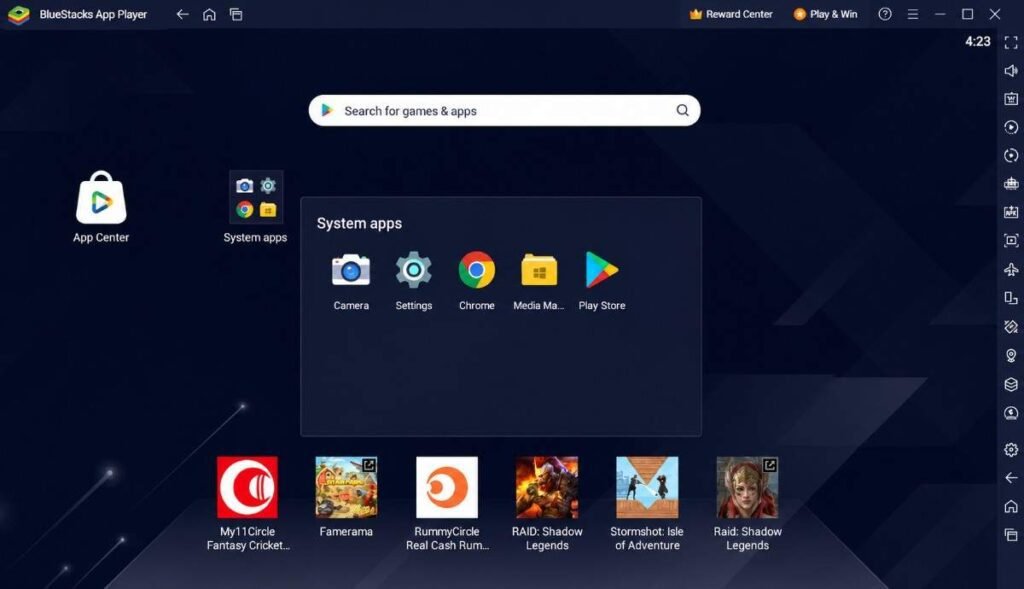
After successfully downloading the Bluestacks app, open it and it’ll take a few minutes to install on your PC. Once it gets installed, sign up for a new account using your email address.
3. Search for BGMI
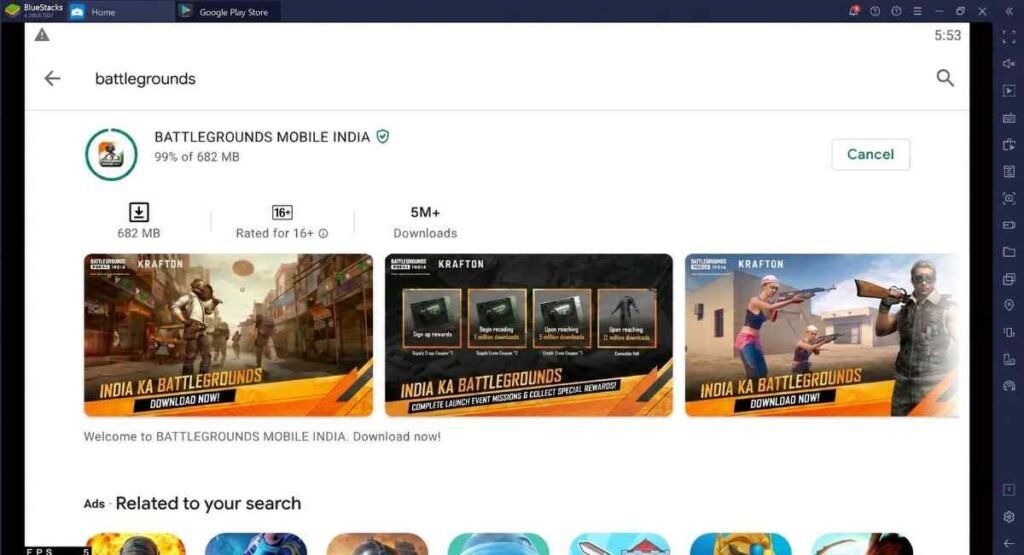
On the homescreen, you’ll see the Google Play Store icon. Click on it and search for Battlegrounds Mobile India. Once you find it, click on install.
4. Play BGMI on PC
Wait for BGMI to finish the installation process. Once it gets completed, open the game. If you have played the game before, you can sign in to that account. Otherwise create a new one by accepting Krafton’s terms and conditions.
You’ve done it beautifully. Now, whenever you want to play BGMI on your PC, just open Bluestacks and click on the BGMI icon to start the game. Well, there are so many things happening in the game right now! When you open it, you’ll get to experience new events and skins. Currently, BGMI Season 29 is live under the 4.4 update, and a lot of new collabs are coming soon. Here’s a little update on the game:
What’s New in the Game
BGMI is about to complete its five, players will get anniversary event crates and skins. On the celebration of BGMI 5th Anniversary, krafton promised players to receive mummy crates again, and the legendary AKM Glacier skin is returning.
- Update End Date: BGMI current update or theme event will end on 15 July 2026 at 5:29 AM.
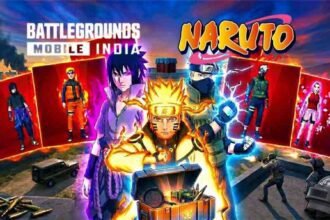
- New Update: We will get BGMI 4.5 update rolling out from 16 July, and it’s gonna be huge and one of the best because Krafton made a collab with Naruto Shippuden.
- New In-Game Skills: If you are an anime lover like me, it’s gonna be a lot of fun in the BGMI New Update. Players can use Jutsu, the ninja abilities in the game such as flying, making clones, or summoning a wall to get cover in the open area.
- Spider-Man x BGMI: Apart from that, we will get Spider-Man event as a returning theme mode as a part of their collab because Spider-Man: Brand New Day is set to premiere on 31 July 2026.
In the upcoming update, players are excited about the Naruto Prize Path and Lucky Spins. Additionally, BGMI x Ferrari is confirmed! We will see Ferrari as new sports car skins.
Is Downloading BGMI PC APK Safe?
No, downloading any third-party APK isn’t safe for your PC. I’m pretty sure you don’t want to compromise your personal information – it’s the last thing you want.
My point is, the developers didn’t make a PC version of the game. Then how can someone offer you a direct APK file that can work on your PC? A lot of APK files contain viruses, and sometimes your personal information gets leaked from your PC.
The only legit method is to download an emulator. And Bluestacks is perfect here; you can download any apps and games that are available on the Google Play Store with this emulator.
BGMI PC Download FAQs
Yes, many creators and streamers are already playing BGMI PC in thier windows 10 or windows 11 system. All you need is an emulator that can help you to access the BGMI Mobile game to play it on PC.
No, as there is no official PC version of this game. It is quite risky to download any third-party APK on your system. One of the best and most legit methods is playing BGMI with Bluestacks.
Yes, you can download PUBG PC in India. The good thing is PUBG PC is legal because it never got banned in the Indian region, unless you are trying to access PUBG Mobile. Any player can download the game through the Steam Store, it’s a free-to-play game just make sure your PC meets the system requirements.
You can play BGMI on PC with an emulator; it roughly needs 3GB to 5GB of space on your device.